
Finish setting up: your first-day checklist
Use this checklist to go from a fresh install to live rates at your checkout. The first four items match the Finish setting up card on your Dashboard. The rest are the settings most stores check on day one.
Before you begin
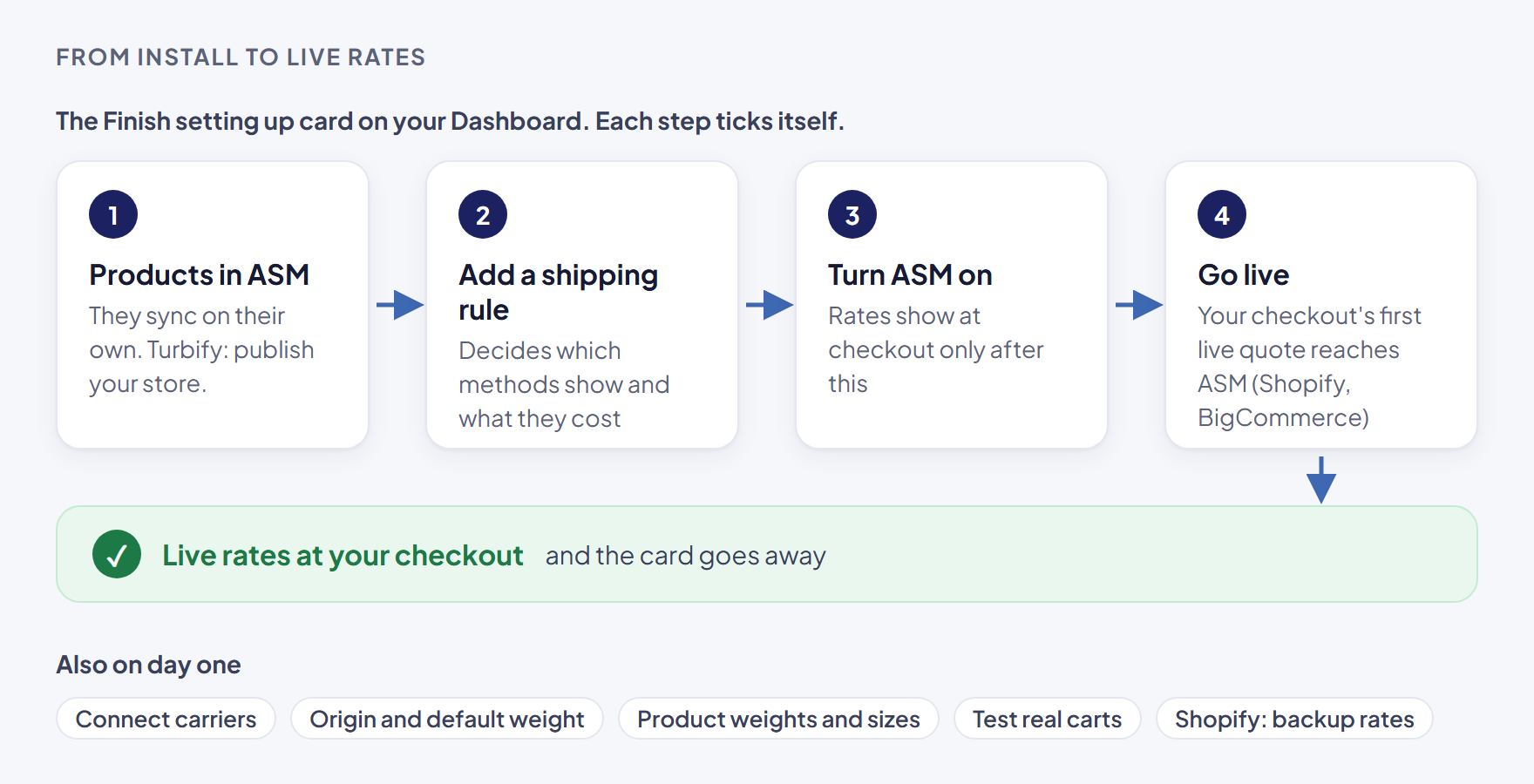
The Finish setting up card
The card sits at the top of the Dashboard until every step is done. It shows "N of M done" and a progress bar, and ticks each step by itself. You never tick anything by hand.
1. Your products are in ASM
Ticks once at least one product has synced from your store. Until then it says "Products show up here once they sync from your store."
- Shopify and BigCommerce: products sync on their own after install. See How products get into ASM.
- Turbify: products come in when you publish your store. See Get started with ASM on Turbify (Yahoo).
2. Add a shipping rule
Ticks once you have at least one shipping rule. Rules decide which methods show at checkout and what they cost.
Select Add a rule →, then follow Add a shipping method.
3. Turn ASM on in your store
Ticks once ASM is switched on. Rates show at checkout only after this is on.
Select Open settings →, then follow Turn ASM on (or off) at checkout.
4. The go-live step (Shopify and BigCommerce)
This step ticks itself once your checkout's first live quote reaches ASM. Select the step to expand its instructions.
- Shopify — Get your first live rate at Shopify checkout. Make sure your products and variants have SKUs, quote a SKU in the Shipping Estimator, then go to your own checkout. If you see a warning that Carrier Calculated Shipping isn't on for your Shopify store yet, follow Shopify: turn on Carrier Calculated Shipping.
- BigCommerce — Connect ASM at your BigCommerce checkout. Connect ASM in each BigCommerce shipping zone. See BigCommerce: connect ASM to your shipping zones.
- Turbify has no go-live step. Your cart shows ASM's methods through the Shipping Method Populator.
When everything is ticked, the card goes away.
Also check on day one
These aren't on the card, but most stores set them in the first hour:
- Connect your carriers. Live UPS, FedEx or freight rates need your carrier account connected. See Connect a carrier account, then Test a carrier connection.
- Set your origin address and default weight. Carriers price from where you ship. See Set your origin address and default product weight.
- Check product weights and sizes. Rates are only as good as the weights behind them. See Find and edit a product's shipping settings.
- Test a few real carts. Quote a light item, a heavy item and a mixed cart to a nearby and a faraway ZIP code. See Test your rates with the Shipping Estimator.
- Shopify only: set backup rates. They keep checkout working if ASM can't answer in time. See Shopify: set backup rates so checkout never dead-ends.
- Know when your trial ends. See Your free trial (and extra trial days).
Check that it works
Place an item in your own store's cart and go to checkout. If ASM's methods show with the prices you expect, you're done.
Want a hand?
While you have no shipping rules yet, the Dashboard shows Want a hand? with a Book a free call button. Book a free setup call and we'll walk you through it, or call us at 1-888-546-4932 (Mon–Fri, 9AM–5PM EST).